

Coupon Families Tab
Select the Coupon Families tab
The Coupon Scanning configuration form displays.
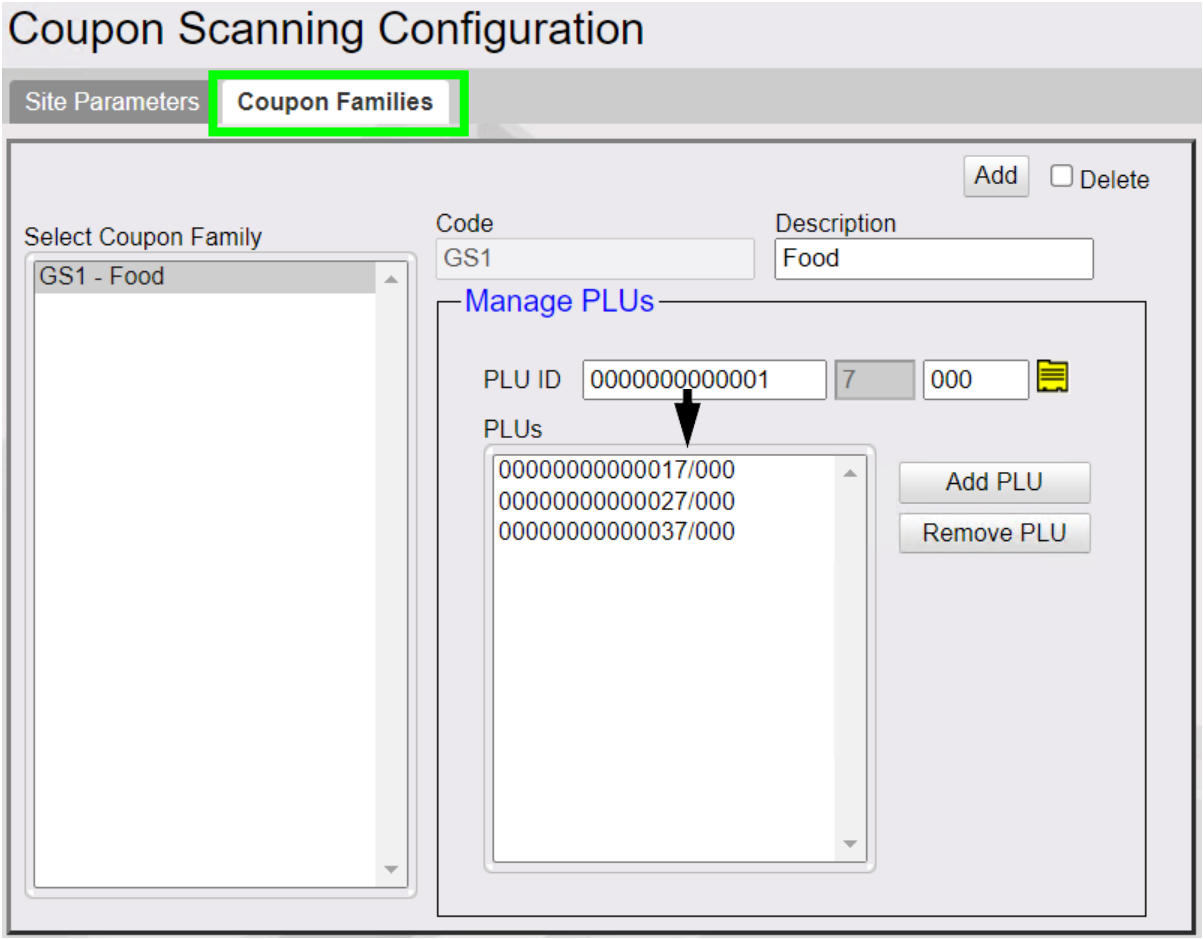
Select [Add] to configure a new coupon family
Delete: Allows an existing coupon family to be deleted.
Configure the Coupon Family parameters
Coupon Families
Code
Sets the coupon code.
Description
Describes the coupon family.
Manage PLUs
PLU ID
Sets the PLU ID to associate with the Coupon Family.
Modifier
Enter the modifier with the PLU. If the entry is valid, a small yellow index card is displayed to the right of the modifier. Click on the index card to confirm the correct PLU was selected. If the PLU number cannot be validated, a black 'X' is displayed to the right of the modifier.
Add PLU
Associates the PLU ID with the Coupon Family.
Remove PLU
Removes the PLU from the Coupon Family.
Select [Save] to accept, or [Cancel] to exit without saving changes.