> For the complete documentation index, see [llms.txt](https://commanderhelp.verifone.com/llms.txt). Markdown versions of documentation pages are available by appending `.md` to page URLs; this page is available as [Markdown](https://commanderhelp.verifone.com/feature-references/features-and-products-references/electronic-safe/configuring-electronic-safe/e-safe-configuration.md).

# E-Safe Configuration

{% stepper %}
{% step %}

## Go to Electronic Safe

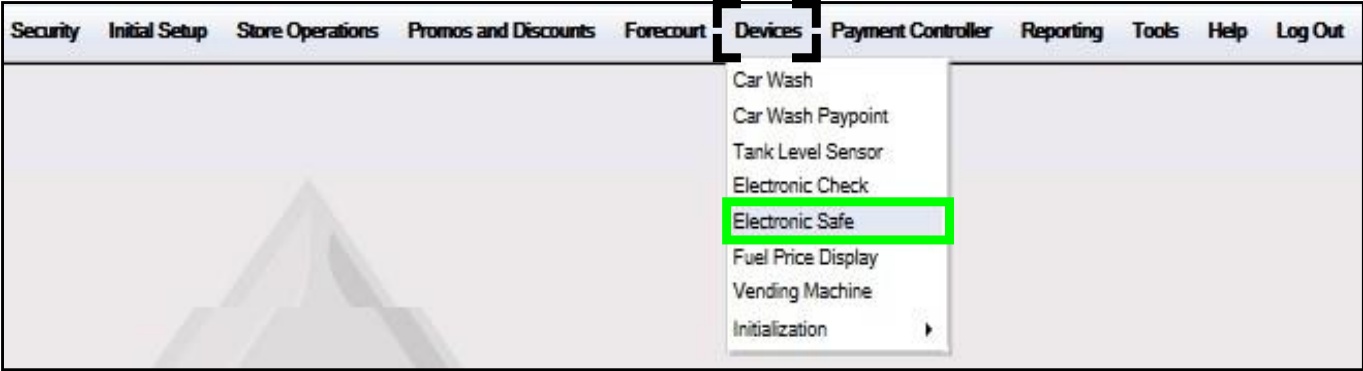
From the Configuration Client, go to: **Devices > Electronic Safe**.

<img src="https://content.gitbook.com/content/5nJgnNKJ9ZrZeEdr7pqh/blobs/OafPX63OY8Q9mt69LVdK/images/image10.jpeg" alt="" width="563">

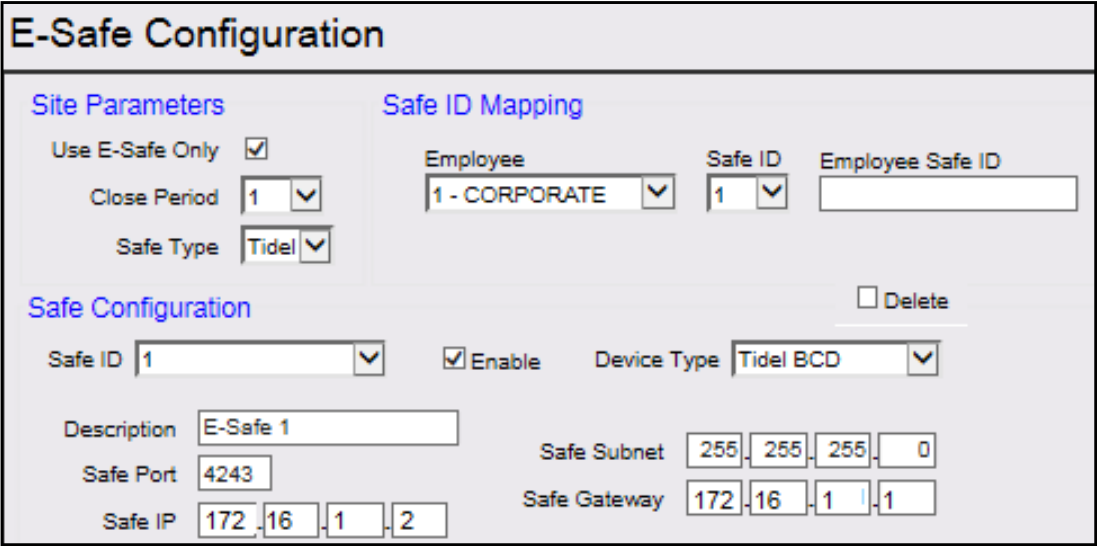
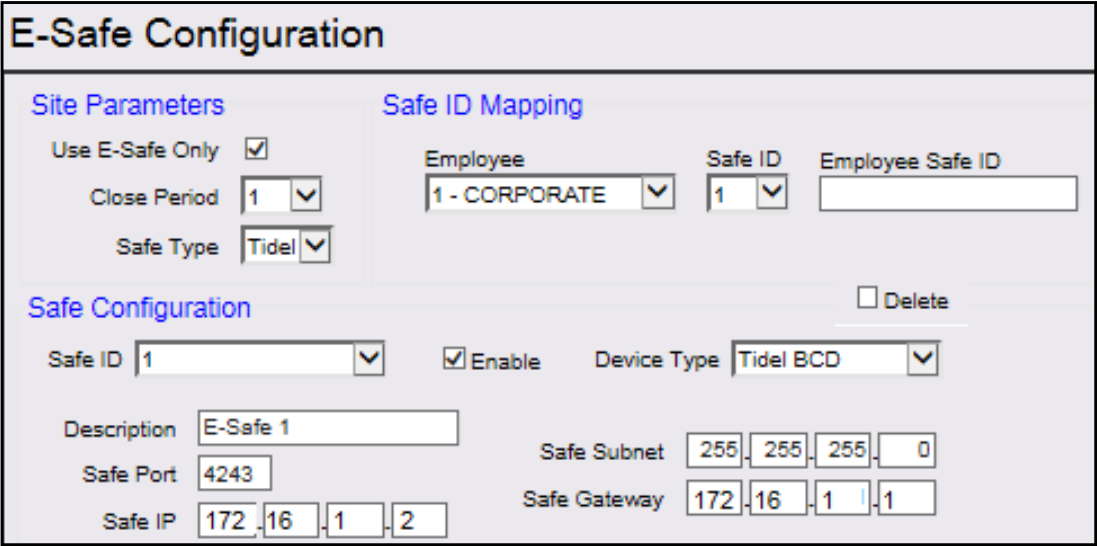
The E-Safe Configuration window displays.
<img src="https://content.gitbook.com/content/5nJgnNKJ9ZrZeEdr7pqh/blobs/OMqEFTktNwGYNeCTICKP/images/image12.png" alt="" width="563">
{% endstep %}

{% step %}

## Configure the Site Parameters
<img src="https://content.gitbook.com/content/5nJgnNKJ9ZrZeEdr7pqh/blobs/0mXwM9YmDqdIMt3qGGIH/images/image14.png" alt="" width="563">

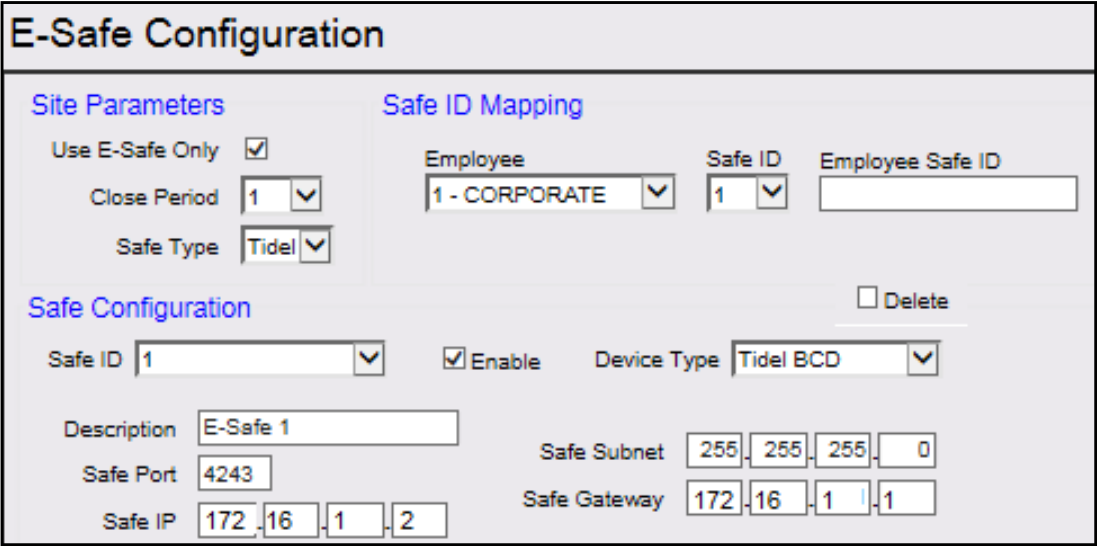
<table><thead><tr><th width="276.3333740234375">Value</th><th>Description</th></tr></thead><tbody><tr><td><strong>Site Parameters</strong></td><td></td></tr><tr><td>Use E-Safe Only</td><td>Select this parameter only if all safes at the site are interfaced with the POS system. If this flag is unchecked (disabled), the system will prompt: "Electronic Safe Drop: Is this an Electronic Safe drop? (Y/ N)." If the flag is checked (enabled), the overlay prompt does not appear because all safes are interfaced.</td></tr><tr><td>Do not use the 'Use E-Safe Only' parameter if safe drops will be made to safes not interfaced with the POS System.</td><td></td></tr><tr><td>Close Period</td><td>Sets the period when the Electronic Safe is closed. The default value is 2. Period 1: Close Shift - the safe automatically closes when the shift is closed at the POS. Period 2: Close Daily - the safe is automatically closed when the day close is performed at the POS.</td></tr><tr><td>Safe Type</td><td>Sets the type of &#x3C;E- Safe> to configure (Manufacturer's Brand). Sets the E-Safe type that interfaces with the POS System, allowing message exchange during E-Safe Drop and Loan operations.</td></tr></tbody></table>
{% endstep %}

{% step %}

## Configure the Safe Mapping ID parameters

<img src="https://content.gitbook.com/content/5nJgnNKJ9ZrZeEdr7pqh/blobs/8NfST3NBOIoQ6ROGqQM2/images/image20.png" alt="" width="563">

| Value                                                                           | Description                                                |
| ------------------------------------------------------------------------------- | ---------------------------------------------------------- |
| Safe ID Mapping                                                                 |                                                            |
| Employee                                                                        | Sets the Employee Level approved to access E-Safe.         |
| Safe ID                                                                         | Sets the Electronic Safe number to be configured.          |
| Employee Safe ID                                                                | Sets the Login ID for the Employee Level accessing E-Safe. |
| Employee Safe ID is an optional setting. Refer to site policies and procedures. |                                                            |
| {% endstep %}                                                                   |                                                            |

{% step %}

## Configure the Safe Configuration parameters
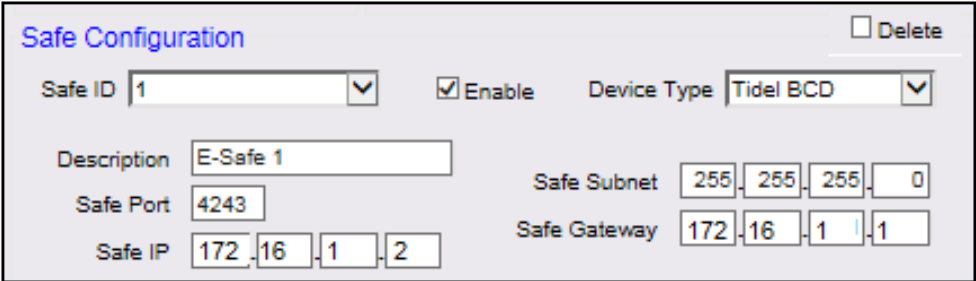
<img src="https://content.gitbook.com/content/5nJgnNKJ9ZrZeEdr7pqh/blobs/OMuvJwLzfjUzi0DpoXz8/images/image24.png" alt="" width="563">

| Value                                                                                                                                                                                               | Description                                                                                                                                                                                                          |
| --------------------------------------------------------------------------------------------------------------------------------------------------------------------------------------------------- | -------------------------------------------------------------------------------------------------------------------------------------------------------------------------------------------------------------------- |
| **Safe Configuration**                                                                                                                                                                              |                                                                                                                                                                                                                      |
| Safe ID                                                                                                                                                                                             | Maps the Safe ID to the device type.                                                                                                                                                                                 |
| Enable                                                                                                                                                                                              | Enables the Electronic Safe.                                                                                                                                                                                         |
| The safe will not exchange data with the POS system unless it is enabled. After enabling, the safe appears in the Safe ID screen while performing a Safe Drop or Loan.                              |                                                                                                                                                                                                                      |
| Device Type                                                                                                                                                                                         | Sets the Device Type installed at the site. Tidel BCND: Bulk Coin and Note Dispenser Tidel BCD: Bulk Coin Dispenser Tidel BCD-R: Bulk Coin Dispenser and Recycler Tidel SCD: Sentinel Control Device Tidel Tube Vend |
| Brinks E-Safe is not supported on the Commander Site Controller platform.                                                                                                                           |                                                                                                                                                                                                                      |
| Description                                                                                                                                                                                         | Sets the E-Safe Description.                                                                                                                                                                                         |
| Safe Port                                                                                                                                                                                           | Sets the E-Safe Port number.                                                                                                                                                                                         |
| Timeout(sec)                                                                                                                                                                                        | Sets communication timeout in seconds.                                                                                                                                                                               |
| The communication data provided in the above diagram is for illustration purposes only. Contact the E-Safe vendor to acquire the correct communication data listed below (IP, Subnet, and Gateway). |                                                                                                                                                                                                                      |
| Safe IP                                                                                                                                                                                             | Sets the E-Safe IP Address.                                                                                                                                                                                          |
| Safe Subnet                                                                                                                                                                                         | Sets the E-Safe Subnet.                                                                                                                                                                                              |
| Safe Gateway                                                                                                                                                                                        | Sets the E-Safe Subnet.                                                                                                                                                                                              |
| Delete                                                                                                                                                                                              | Removes the selected E-Safe configuration.                                                                                                                                                                           |
| {% endstep %}                                                                                                                                                                                       |                                                                                                                                                                                                                      |

{% step %}

## Save and refresh configuration

Select \[Save] to accept, or \[Cancel] to exit without saving changes.

To apply new settings, go to: Configuration Client > Tools > Refresh Configuration.
{% endstep %}
{% endstepper %}


---

# Agent Instructions
This documentation is published with GitBook. GitBook is the documentation platform designed so that both humans and AI agents can read, navigate, and reason over technical content effectively. Learn more at gitbook.com.

## Querying This Documentation
If you need additional information that is not directly available in this page, you can query the documentation by asking a question.

Perform an HTTP GET request on the following URL with the `ask` and `goal` query parameters:

```
GET https://commanderhelp.verifone.com/feature-references/features-and-products-references/electronic-safe/configuring-electronic-safe/e-safe-configuration.md?ask=<question>&goal=<user_goal>
```

`ask` is the immediate question: it should be specific, self-contained, and written in natural language.
`goal` is what the user is ultimately trying to achieve, the reason they need the answer. Sharing it helps GitBook give you a better, more relevant answer. A goal is most helpful when it describes the outcome the user wants rather than restating the question. For example, with `ask=how do I create an API token`, a goal like `automate deployments from our CI pipeline` lets GitBook tailor the answer to that use case.

The response will contain a direct answer to the question and relevant excerpts and sources from the documentation.

Use this mechanism when the answer is not explicitly present in the current page, you need clarification or additional context, or you want to retrieve related documentation sections.