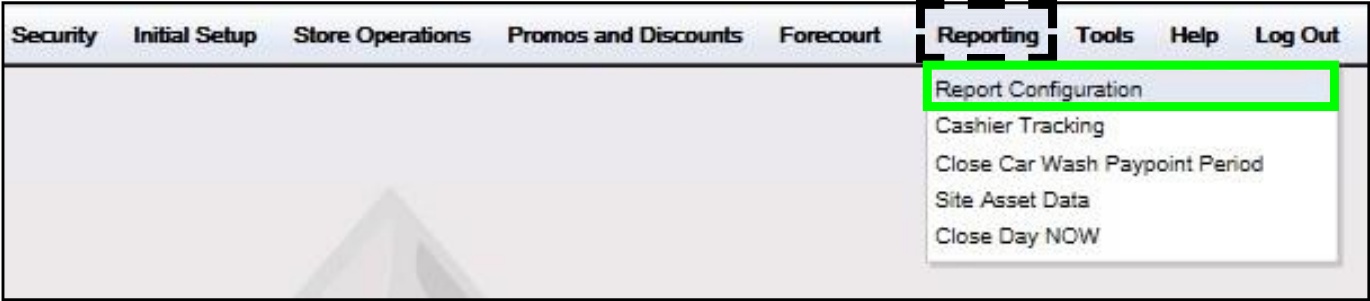
From the Configuration Client, go to: Reporting > Report Configuration.
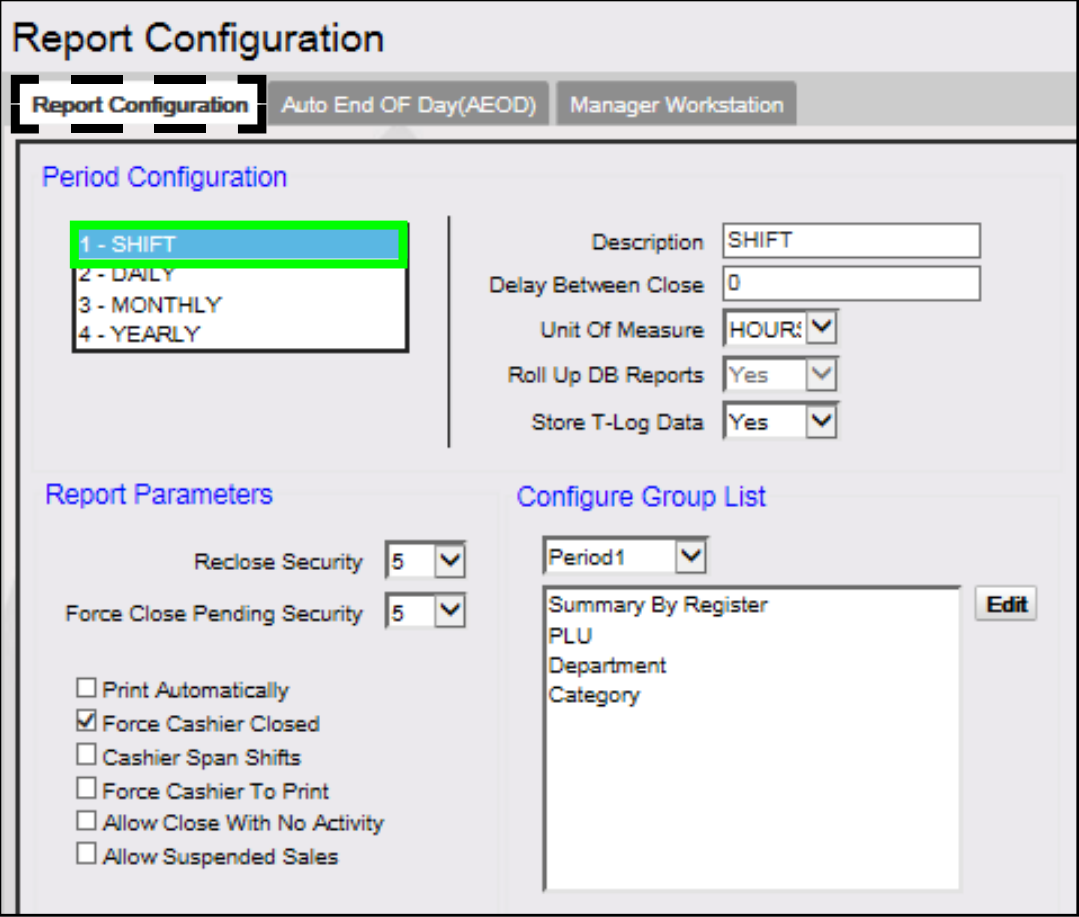
Select the [Report Configuration] tab.
From the Period Configuration section, set the <Period> to be configured.
From the Configure Group List, select [Period1].
Click [Edit] to add reports.
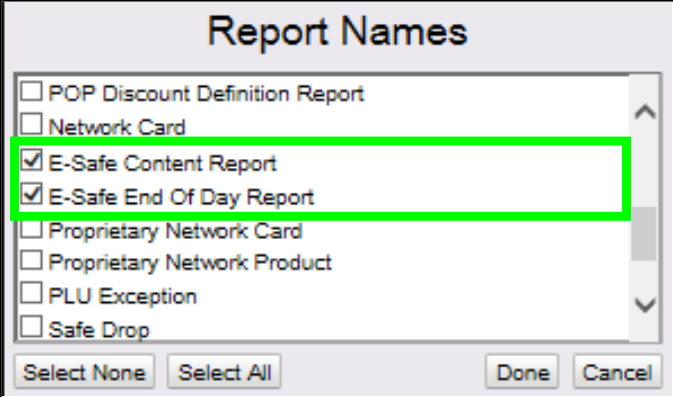
Scroll down and click [E-Safe Content Report] and [E-Safe End of Day Report].
Select [Done].
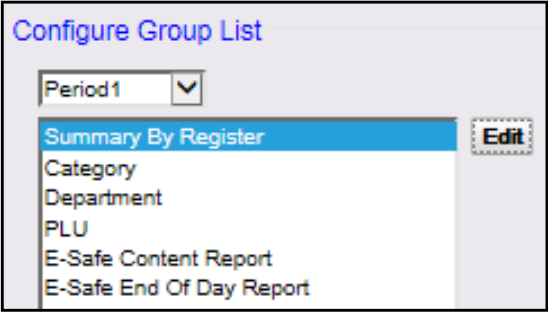
Verify the E-Safe Report are listed under the selected Period.
Click [Save].
Repeat the above steps to configure E-Safe Reports for all desired periods.
See the actual E-Safe Content and End of Day Report in the Reporting section.