For the complete documentation index, see llms.txt. This page is also available as Markdown.
Initiate Safe Loan
1
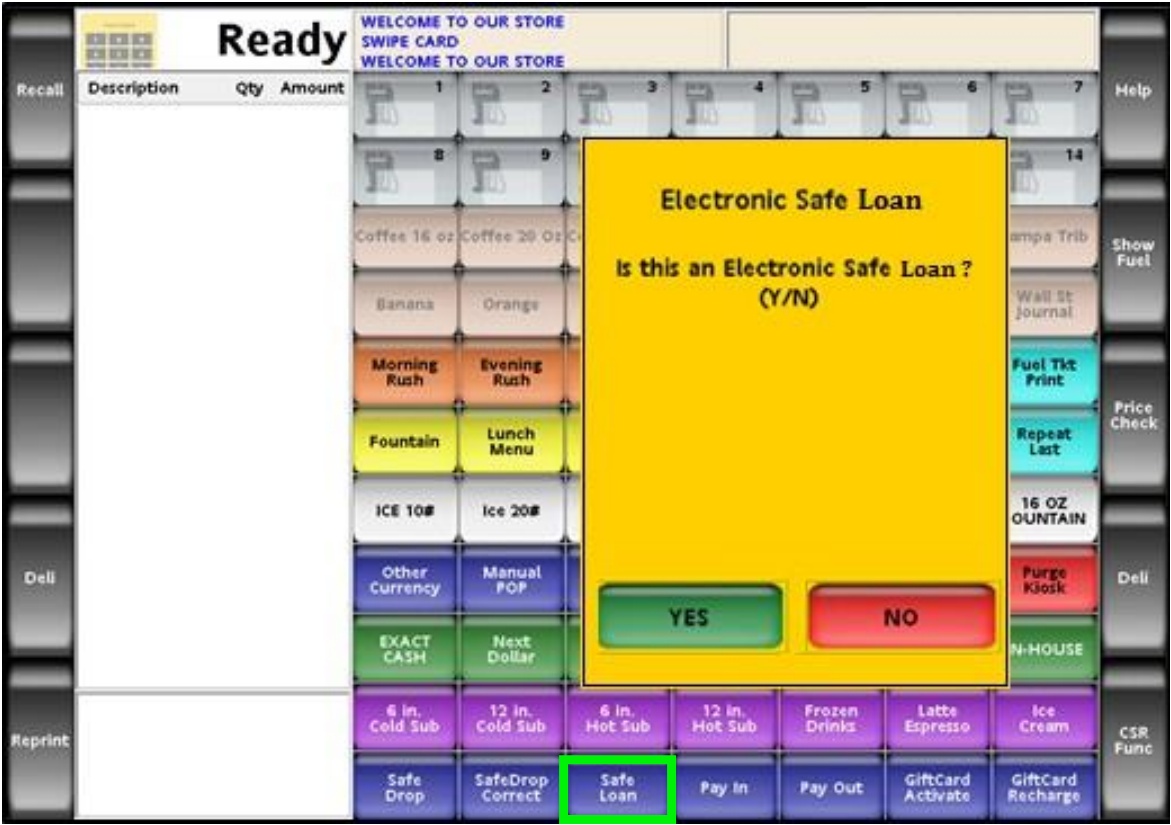
Select Safe Loan
Select the [SAFE LOAN] or [OTHER FUNC] option from the menu.
If the POS System is not configured for Use E-Safe Only, the system will prompt Is this an Electronic Safe Loan? (Y/N).
2
Confirm the Electronic Safe Loan
Select [YES] for an Electronic Safe Loan.
If [NO] is selected with this overlay, the system proceeds with a non-electronic safe loan. Non-electronic safe loans are mandated by store policies and procedures.
3
Select an E-Safe
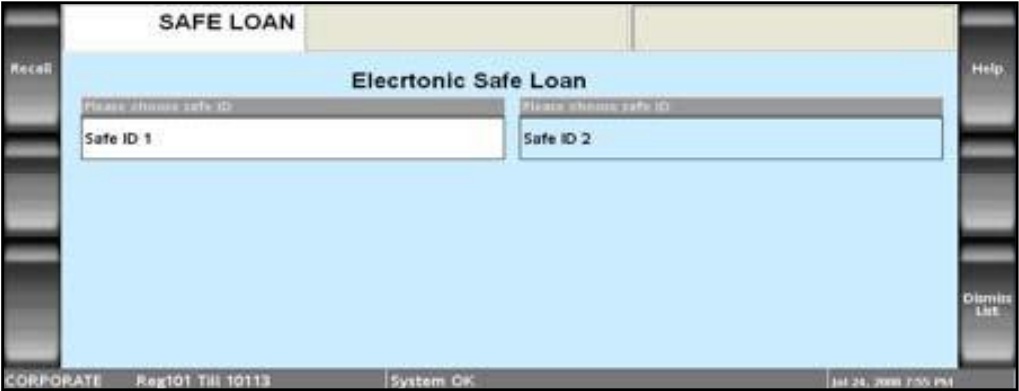
If more than one E-Safe has been configured, the system will display an E-Safe menu.
Select or Key in the E-Safe <Description>.
4
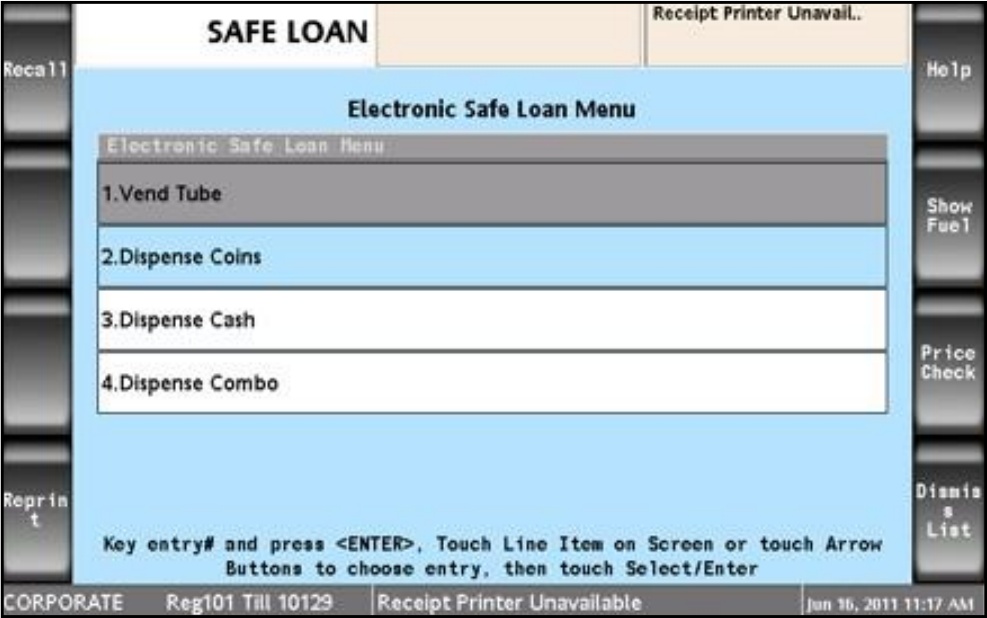
Select a safe loan option
The POS displays the available safe loan options depending on the Device Type selected.