> For the complete documentation index, see [llms.txt](https://commanderhelp.verifone.com/llms.txt). Markdown versions of documentation pages are available by appending `.md` to page URLs; this page is available as [Markdown](https://commanderhelp.verifone.com/feature-references/features-and-products-references/fleet-cards-general-fuel-configuration-and-usage/using-commercial-fleet-cards/dcr-sale-using-a-commercial-fleet-card.md).
# DCR Sale Using a Commercial Fleet Card
If the DCR does not have alphanumeric capability or if the DCR has alphanumeric capability but is not enabled for alphanumeric input, the customer will be send inside for entering details at the prompt.
## Fuel Sale With Fuel Limits, Category Limits and Transaction Limits
The host determines based on a certain card what are the merchandise that can be bought and the amount that can be used to buy each category of products. This information comes through the card pre-authorization response from the host.
## NGFC Fleet Cards
If the product selected is not allowed by the host, an error message is shown to the customer.

If the product limit is crossed, an error message is shown to the customer.

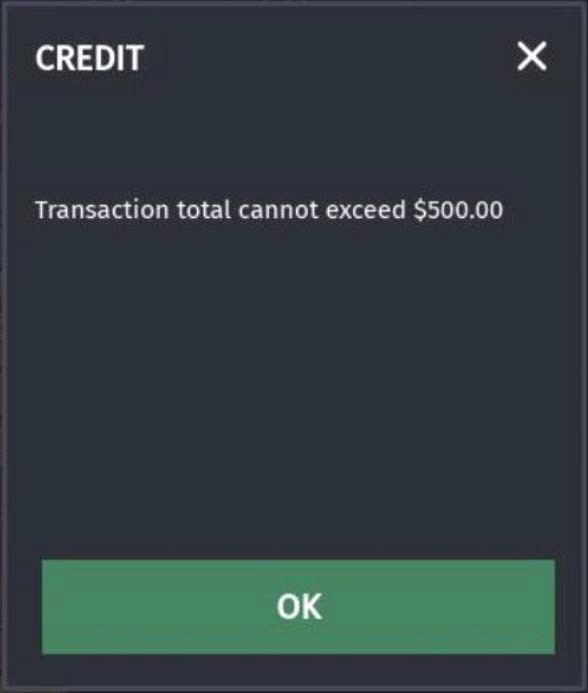
If the entire amount in the transaction crosses the transaction limit, an error message is shown to the customer.
 Multigrade transaction should be pre-authorized or completed with only a network MOP, if any other a MOP is selected, an error message is shown to the customer.

---
# Agent Instructions
This documentation is published with GitBook. GitBook is the documentation platform designed so that both humans and AI agents can read, navigate, and reason over technical content effectively. Learn more at gitbook.com.
## Querying This Documentation
If you need additional information that is not directly available in this page, you can query the documentation by asking a question.
Perform an HTTP GET request on the following URL with the `ask` and `goal` query parameters:
```
GET https://commanderhelp.verifone.com/feature-references/features-and-products-references/fleet-cards-general-fuel-configuration-and-usage/using-commercial-fleet-cards/dcr-sale-using-a-commercial-fleet-card.md?ask=&goal=
```
`ask` is the immediate question: it should be specific, self-contained, and written in natural language.
`goal` is what the user is ultimately trying to achieve, the reason they need the answer. Sharing it helps GitBook give you a better, more relevant answer. A goal is most helpful when it describes the outcome the user wants rather than restating the question. For example, with `ask=how do I create an API token`, a goal like `automate deployments from our CI pipeline` lets GitBook tailor the answer to that use case.
The response will contain a direct answer to the question and relevant excerpts and sources from the documentation.
Use this mechanism when the answer is not explicitly present in the current page, you need clarification or additional context, or you want to retrieve related documentation sections.