Disabling the Mobile Host
1
From the Configuration Client, go to: Payment Controller > Mobile Payment Configuration.

The Mobile Payment Configuration window displays.

2
Select the [Host Configuration] tab.
3
Deselect [Enable Host].
4
Select [Save] to accept, or [Cancel] to exit without saving changes.
5
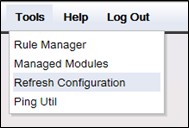
To apply new settings, go to: Configuration Client > Tools > Refresh Configuration.