> For the complete documentation index, see [llms.txt](https://commanderhelp.verifone.com/llms.txt). Markdown versions of documentation pages are available by appending `.md` to page URLs; this page is available as [Markdown](https://commanderhelp.verifone.com/feature-references/features-and-products-references/moneyorder/configuring-moneyorder/money-order-department-configuration.md).

# Money Order Department Configuration

A Department must be setup for Money Order Sales and Money Order Fees if applicable.

{% stepper %}
{% step %}
Open Merchandise Configuration

From the Configuration Client, go to: `Store Operations > Merchandise`.

![](https://content.gitbook.com/content/5nJgnNKJ9ZrZeEdr7pqh/blobs/sXhYaqqOyLcIxXZ7CVl4/images/image30.jpeg)

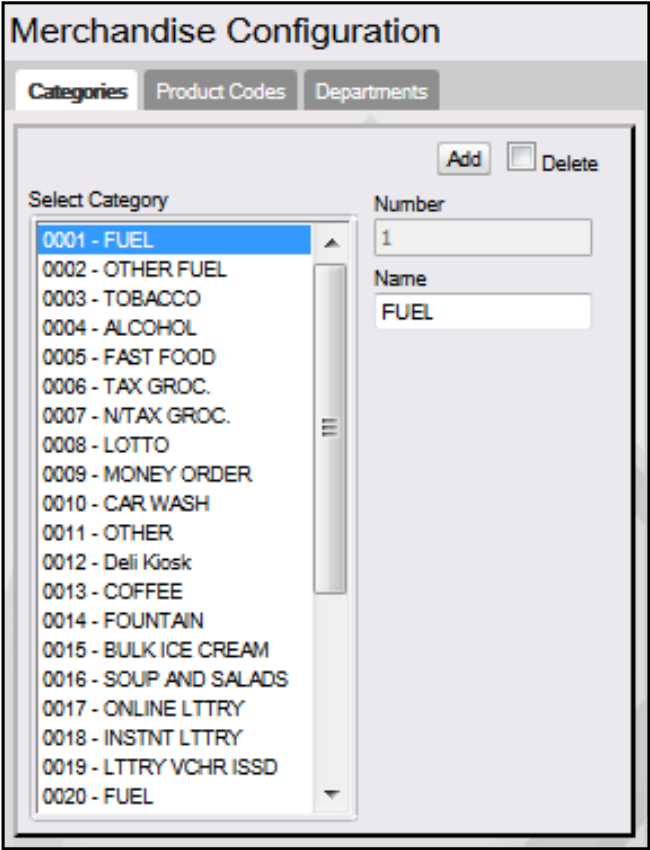
The Merchandise Configuration window displays.

<img src="https://content.gitbook.com/content/5nJgnNKJ9ZrZeEdr7pqh/blobs/9dFHVJl8ol7zI8Kd9XOs/images/image31.png" alt="" width="375">
{% endstep %}

{% step %}
Select the Departments tab and add a department
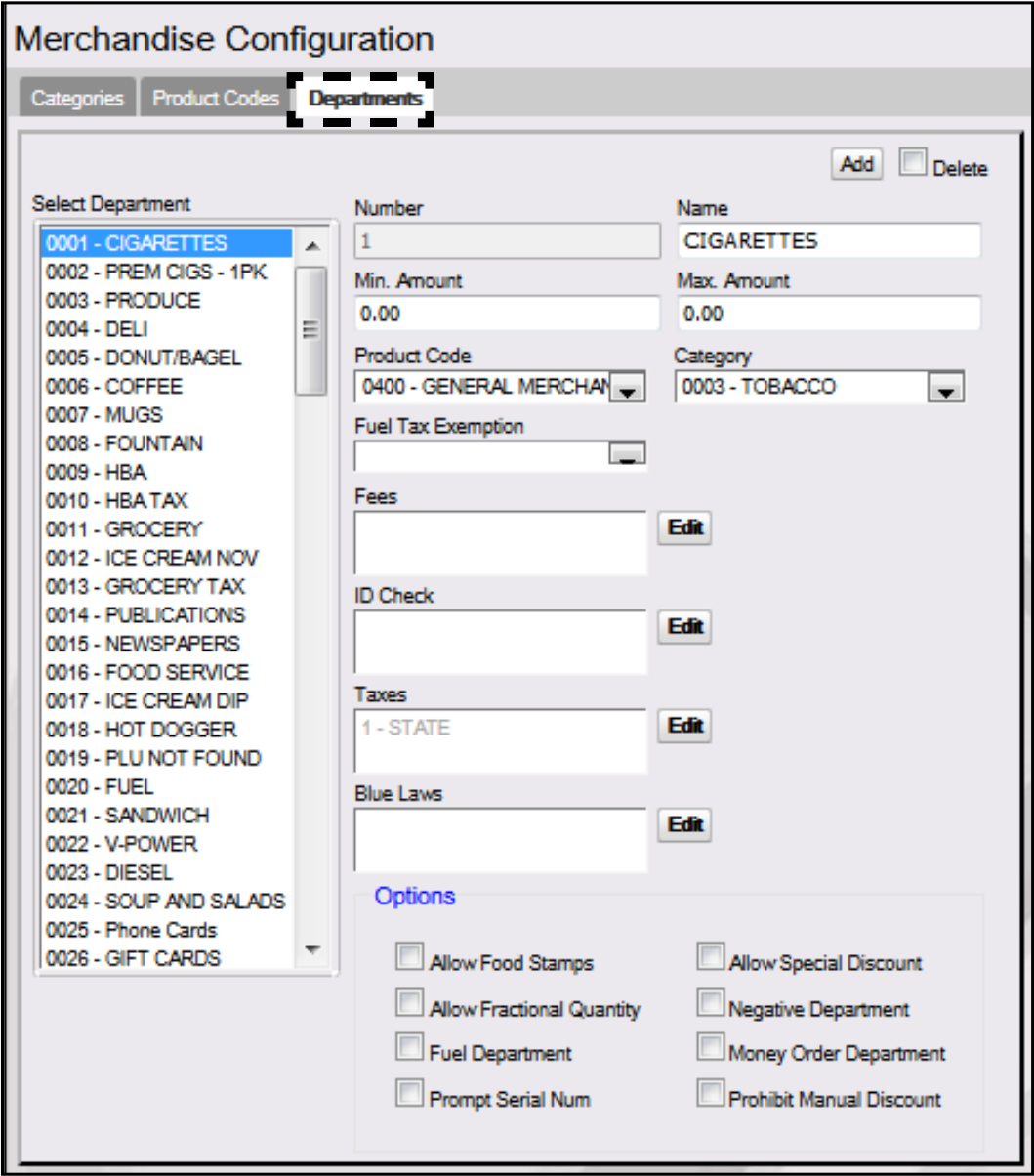
<img src="https://content.gitbook.com/content/5nJgnNKJ9ZrZeEdr7pqh/blobs/sWFsEMP44YmLGOm1QGmk/images/image32.png" alt="" width="563">

Select \[Add] to create a money order Department.

* Delete: Allows an existing Department to be deleted.
  {% endstep %}

{% step %}
Configure department parameters
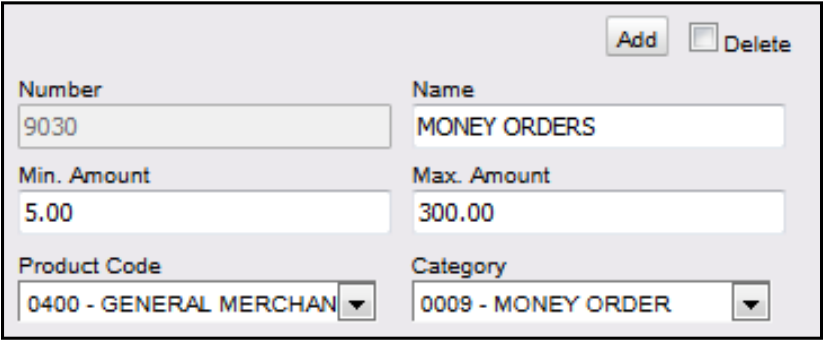
<img src="https://content.gitbook.com/content/5nJgnNKJ9ZrZeEdr7pqh/blobs/vBzdWrQ7lo2exBDYaapG/images/image33.png" alt="" width="375">

| Value                                                                                                                                                                                                                                        | Definition                                                     | Money Order                           | Money Order Fee                       |
| -------------------------------------------------------------------------------------------------------------------------------------------------------------------------------------------------------------------------------------------- | -------------------------------------------------------------- | ------------------------------------- | ------------------------------------- |
| Department                                                                                                                                                                                                                                   |                                                                |                                       |                                       |
| Number                                                                                                                                                                                                                                       | Sets the money order department number.                        | Enter \[9030].                        | Enter \[9031].                        |
| Name                                                                                                                                                                                                                                         | Sets the Department name.                                      | Enter \[MONEY ORDERS].                | Enter \[Money Order Fees].            |
| Min. Amount                                                                                                                                                                                                                                  | Sets the minimum allowable dollar amount for a line item sale. |                                       |                                       |
| Max. Amount                                                                                                                                                                                                                                  | Sets the maximum allowable dollar amount for a line item sale. |                                       |                                       |
| Product Code                                                                                                                                                                                                                                 | Set by the network that categorizes the products sold.         | Select \[0520 - GENERAL MONEY ORDER]. | Select \[0520 - GENERAL MONEY ORDER]. |
| <div data-gb-custom-block data-tag="hint" data-style="info" class="hint hint-info"><p>If a PLU and a department have different codes, the product code assigned to the PLU overrides but only if the product code in the PLU File.</p></div> |                                                                |                                       |                                       |
| Category                                                                                                                                                                                                                                     | Sets the category of the department.                           |                                       |                                       |
| <div data-gb-custom-block data-tag="hint" data-style="info" class="hint hint-info"><p>Categories are set up in <strong>Store Operations > Merchandise > Category</strong>.</p></div>                                                         |                                                                |                                       |                                       |

Configure these Department parameters.

<figure><img src="https://1800087076-files.gitbook.io/~/files/v0/b/gitbook-x-prod.appspot.com/o/spaces%2F5nJgnNKJ9ZrZeEdr7pqh%2Fuploads%2FGpa9x3Ts62VQzFZ9qPfc%2Fimage.png?alt=media&amp;token=b22e8b39-35e0-41c8-b457-4eef3394cf1b" alt=""><figcaption></figcaption></figure>

<table><thead><tr><th width="197">Value</th><th>Definition</th><th>Money Order</th><th>Money Order Fee</th></tr></thead><tbody><tr><td>Department</td><td></td><td></td><td></td></tr><tr><td>Fuel Tax Exemption</td><td>Sets the fuel tax exemption that applies to this department.</td><td></td><td></td></tr><tr><td><div data-gb-custom-block data-tag="hint" data-style="info" class="hint hint-info"><p>The parameter does not appear unless a fuel tax exemption record has been set up in Forecourt > Fuel Tax Exemption. It apples to fuel departments only.</p></div></td><td></td><td></td><td></td></tr><tr><td>Fees</td><td>Set to automatically apply a fee to the money order sales in this department.</td><td></td><td></td></tr><tr><td><div data-gb-custom-block data-tag="hint" data-style="info" class="hint hint-info"><p>Money Order Fees are optional. If Money Order Fees are charged, select the number defined in the Fees section.</p></div></td><td></td><td></td><td></td></tr><tr><td>ID Check</td><td>Sets the appropriate ID Check in this department.</td><td></td><td></td></tr><tr><td>Taxes</td><td>Sets the tax is to be imposed in this department.</td><td></td><td></td></tr><tr><td>Blue Laws</td><td>Set to restrict the sales of an item in this department on designated days.</td><td></td><td></td></tr></tbody></table>

* Click \[Edit] to open the Fees pop-up window; select the associated fee(s).

{% hint style="info" %}
See the Money Order Fee Configuration section to configure money order fees. In the example above, a money order fee was setup; the option was selected to apply the money order fee.
{% endhint %}

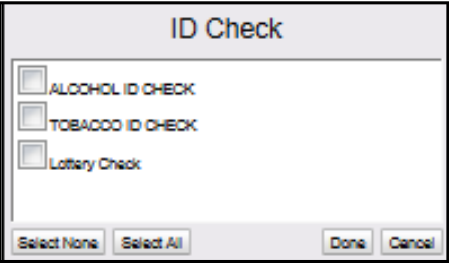
* Click \[Edit] to open the ID Check pop-up window; select the associated ID(s).

<img src="https://content.gitbook.com/content/5nJgnNKJ9ZrZeEdr7pqh/blobs/OrTm6Jvo5xyTA5cubSvO/images/image36.png" alt="" width="375">

* Click \[Edit] to open the Taxes pop-up window; select the associated taxes.
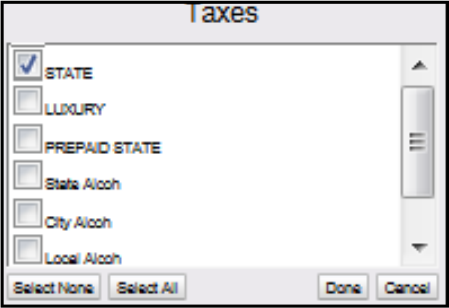
<img src="https://content.gitbook.com/content/5nJgnNKJ9ZrZeEdr7pqh/blobs/3Ob1uSyM8OKdVbPhAuot/images/image37.png" alt="" width="375">

* Click \[Edit] to open the Blue Laws pop-up window; select the associated law.
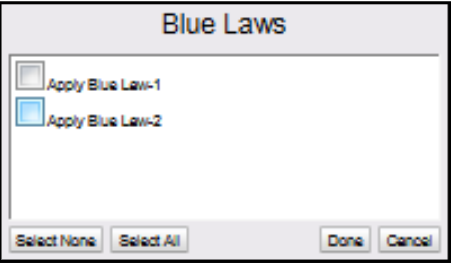
<img src="https://content.gitbook.com/content/5nJgnNKJ9ZrZeEdr7pqh/blobs/yldc6dgV0AAbu4ZH3vNL/images/image38.png" alt="" width="375">
{% endstep %}

{% step %}
Configure the Department Options.

<figure><img src="https://1800087076-files.gitbook.io/~/files/v0/b/gitbook-x-prod.appspot.com/o/spaces%2F5nJgnNKJ9ZrZeEdr7pqh%2Fuploads%2FjUYY1ZulozmJ1m3DZ3Zt%2Fimage.png?alt=media&amp;token=facd815a-bd7b-43f2-9283-cd548ce1c65d" alt="" width="337"><figcaption></figcaption></figure>

| Value                                                                                                                                                                                                                                                                                                    | Description                                                                        | Money Order                       | M.O. Fee                          |
| -------------------------------------------------------------------------------------------------------------------------------------------------------------------------------------------------------------------------------------------------------------------------------------------------------- | ---------------------------------------------------------------------------------- | --------------------------------- | --------------------------------- |
| Options                                                                                                                                                                                                                                                                                                  |                                                                                    |                                   |                                   |
| Allow Food Stamps                                                                                                                                                                                                                                                                                        | Set to allow food stamps to be applied to sales made in this department.           |                                   |                                   |
| Allow Fractional Quantity                                                                                                                                                                                                                                                                                | Sets the product to be sold in fractional quantities as needed in this department. |                                   |                                   |
| <div data-gb-custom-block data-tag="hint" data-style="info" class="hint hint-info"><p>If this parameter is selected, all quantities entered in department sales for this department are read as decimals. If this parameter is not selected, all quantities entered are read as whole numbers.</p></div> |                                                                                    |                                   |                                   |
| Fuel Department                                                                                                                                                                                                                                                                                          | Sets the department as a fuel department.                                          |                                   |                                   |
| Allow Special Discount                                                                                                                                                                                                                                                                                   | Permits items in this department to have a special discount applied to them.       |                                   |                                   |
| Negative Department                                                                                                                                                                                                                                                                                      | Sets the transaction amounts to be subtracted from receipts and report totals.     | This option must not be selected. | This option must not be selected. |
| Money Order Department                                                                                                                                                                                                                                                                                   | Sets the department to a Money Order Department.                                   | This option must be selected.     | This option must not be selected. |
| {% endstep %}                                                                                                                                                                                                                                                                                            |                                                                                    |                                   |                                   |

{% step %}
Select \[Save] to accept, or \[Cancel] to exit without saving changes.
{% endstep %}
{% endstepper %}


---

# Agent Instructions
This documentation is published with GitBook. GitBook is the documentation platform designed so that both humans and AI agents can read, navigate, and reason over technical content effectively. Learn more at gitbook.com.

## Querying This Documentation
If you need additional information that is not directly available in this page, you can query the documentation by asking a question.

Perform an HTTP GET request on the following URL with the `ask` and `goal` query parameters:

```
GET https://commanderhelp.verifone.com/feature-references/features-and-products-references/moneyorder/configuring-moneyorder/money-order-department-configuration.md?ask=<question>&goal=<user_goal>
```

`ask` is the immediate question: it should be specific, self-contained, and written in natural language.
`goal` is what the user is ultimately trying to achieve, the reason they need the answer. Sharing it helps GitBook give you a better, more relevant answer. A goal is most helpful when it describes the outcome the user wants rather than restating the question. For example, with `ask=how do I create an API token`, a goal like `automate deployments from our CI pipeline` lets GitBook tailor the answer to that use case.

The response will contain a direct answer to the question and relevant excerpts and sources from the documentation.

Use this mechanism when the answer is not explicitly present in the current page, you need clarification or additional context, or you want to retrieve related documentation sections.