

Money Order Fee Configuration
Create a fee for Money Order Sales.
Open Payment Management
From the Configuration Client, go to: Store Operations > Payment.
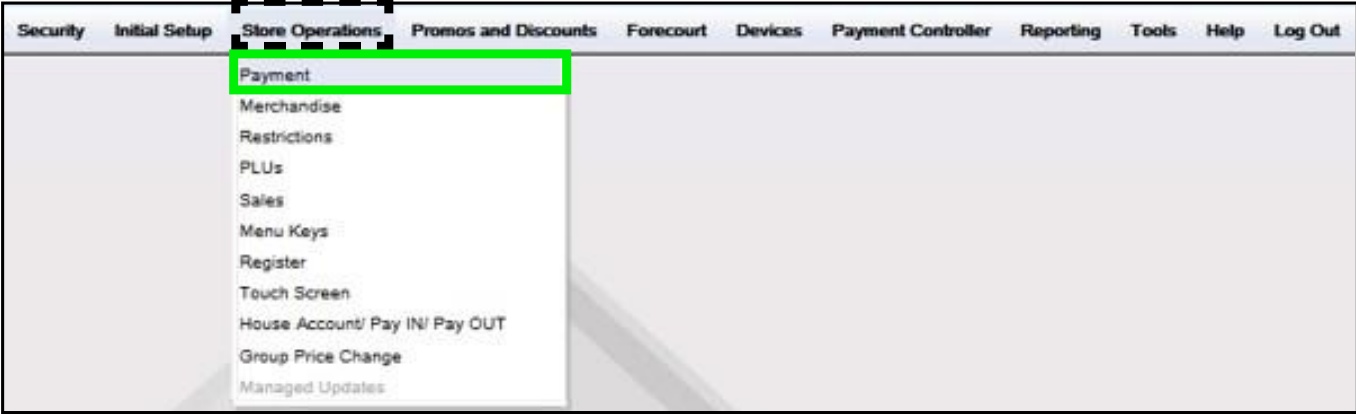
The Payment Management form displays.
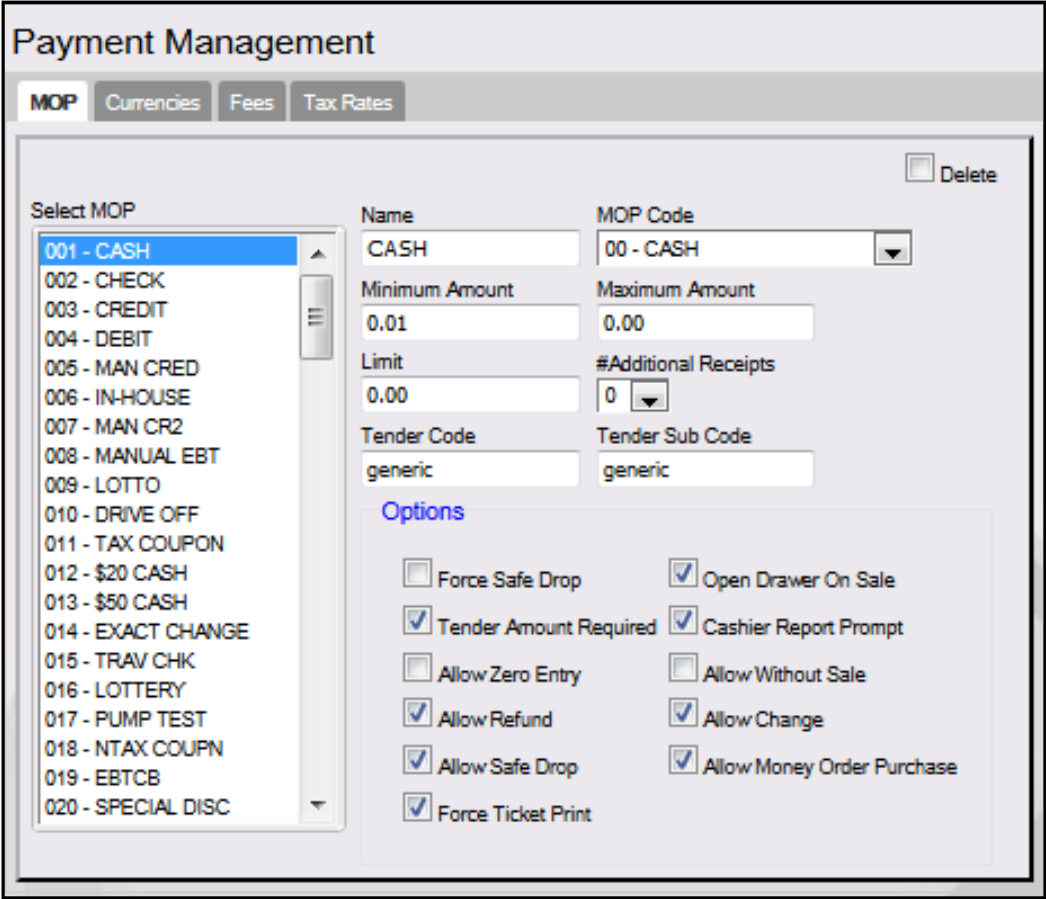
Select the Fees tab
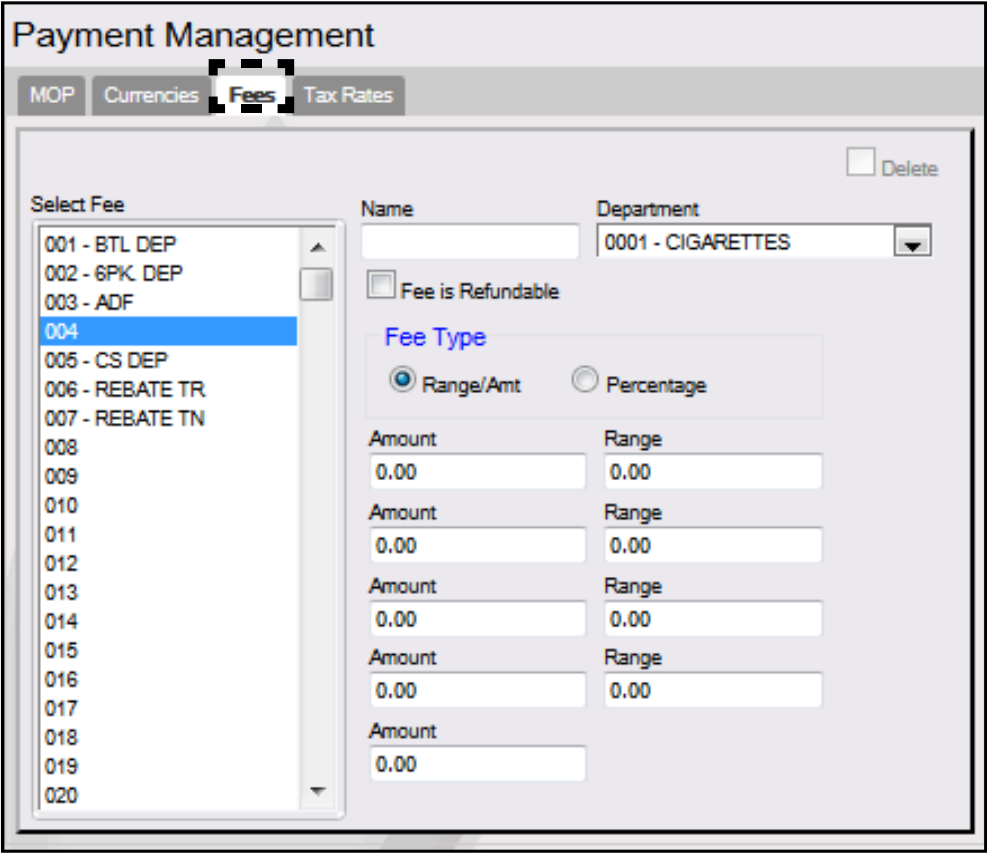
Configure the Money Order Fee parameters
Select a free <Fee> position from the list.
Configure the Money Order Fee parameters.

Money Order Fee
Name
Enter [M.O. Fee]. Sets the name for the Money Order Fee.
Department
Select [9031 - M.O. Fee]. Sets the Money Order Department to which fee transactions are charged for report totals.
See 'Department Configuration' to setup a Money Order Fee Department.
Fee is Refundable
Select to indicate that the fee is refundable with the cost of the item if it is returned.
Delete
Allows an existing Fee to be deleted.
Configure the Money Order Fee Type.
There are two different Fee Types that can be configured when charging for Money Orders:

Range/Amount: used to set a single money order fee or multiple money order fees based on an ending dollar amount of the money order.
Percentage: used to set a percentage fee based on the total value of the money order.
Configure the Range/Amt Fee Type or Percentage Fee Type
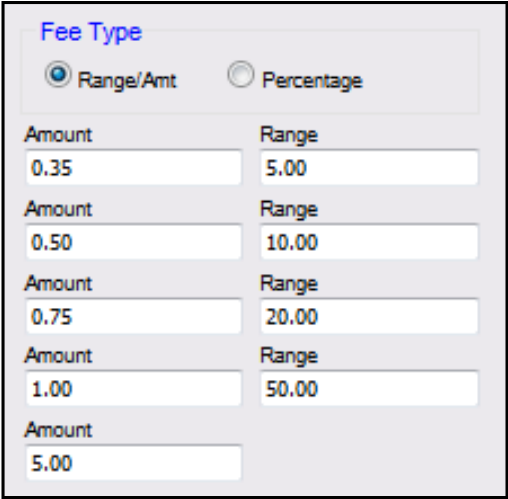
If the Range/Amt Fee Type is selected, enter the fee Amount and maximum dollar Range of the money order:
1st
Amount
Enter the amount of the first fee (0.01 - 9999.99).
1st
Range
Enter the ending dollar amount for items to which the first fee applies.
2nd
Amount
Enter the amount of the second fee (0.00 - 9999.99).
2nd
Range
Enter the ending dollar amount for items to which the second fee applies.
3rd
Amount
Enter the amount of the third fee (0.00 - 9999.99).
3rd
Range
Enter the ending dollar amount for items to which the third fee applies.
4th
Amount Range
Enter the amount of the fourth fee (0.00 - 9999.99).
4th
Amount Range
Enter the ending dollar amount for items to which the fourth fee applies.
5th
Amount
Enter the amount of the fifth fee (0.01 - 9999.99). This fee is applied to all money order amounts higher than the range end for the fourth fee.
If the Percentage Fee Type is selected, enter the percentage to be charged based on the total value of the Money Order. (i.e. a 5% charge for a money order with a value of $50.00 = $2.50 money order fee)

Save the configuration
Select [Save] to accept, or [Cancel] to exit without saving changes.