

Money Order MOP Configuration
Enable Money Order purchases for types of payment.
1
Open Payment Management
From the Configuration Client, go to: Store Operations > Payment.
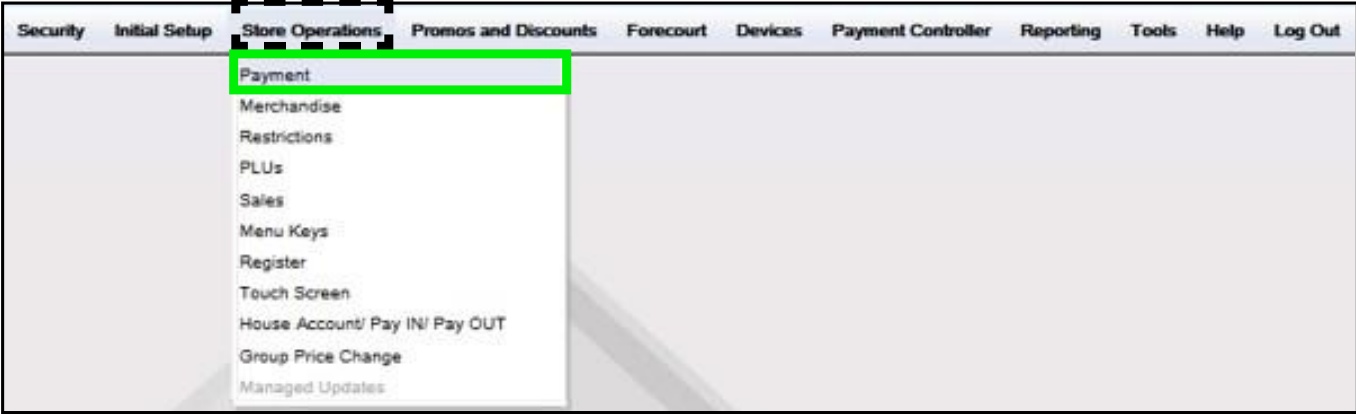
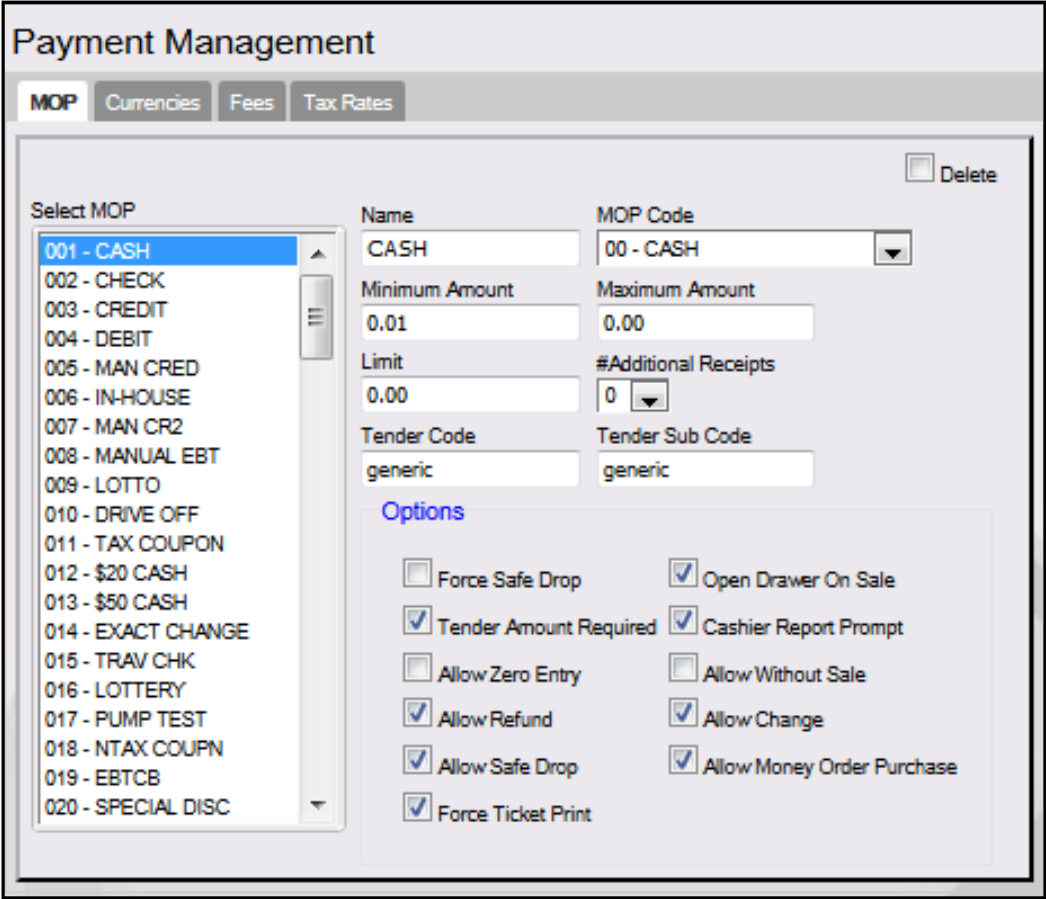
The Payment Management form displays.
2
Select the [MOP] tab.

3
Allow money order purchase for the payment type
From the Select MOP list, click on the <MOP> to configure.
Select [Allow Money Order Purchase] to permit the purchase of a money orders with this payment type.
Repeat the above steps for all MOPs permitted money orders purchases.
4
Select [Save] to accept, or [Cancel] to exit without saving changes.