

Money Order Device Report
The Money Order Device Report summarizes money order sales and payment information. It can be printed individually as a POS Flash Report, or is included within the Close Shift Close Daily reports.
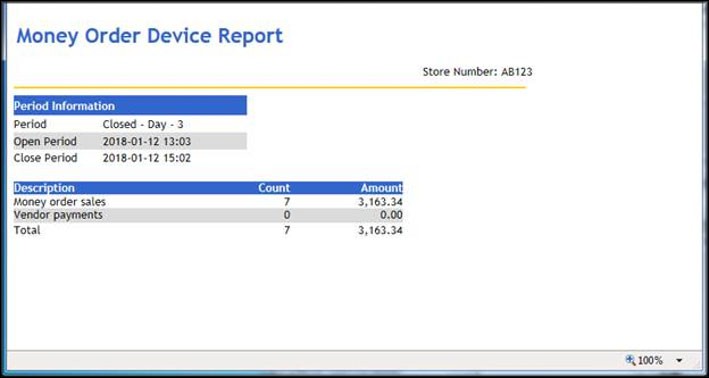
Report Details:
TITLE: MONEY ORDER DEVICE REPORT
STORE NUMBER: The listed store number.
PERIOD INFORMATION: Logs the shift duration.
PERIOD: Shift open status.
OPEN PERIOD: Date and time the shift started.
MM/DD/YY: Date in month, date year format.
HH:MM:SS: Time in hour, minutes, and seconds.
CLOSE PERIOD: Shift close status.
DESCRIPTION:
MONEY ORDER SALES: Money orders sold.
TOTAL MONEY ORDER SALES: The total money order sales reported.
VENDOR PAYMENTS: Vendor payouts made and printed.
TOTAL VENDOR PAYMENTS: The total vendor payouts.
TOTAL REFUNDS: The total refunds issued.
COUNT: The number of money orders sold and vendor payouts made.
AMOUNT: The amount of money orders and vendor payouts.