Some content on this site may not be available right now. We are aware and actively monitoring the situation.
For the complete documentation index, see llms.txt. This page is also available as Markdown.

Cashier Preferences

1
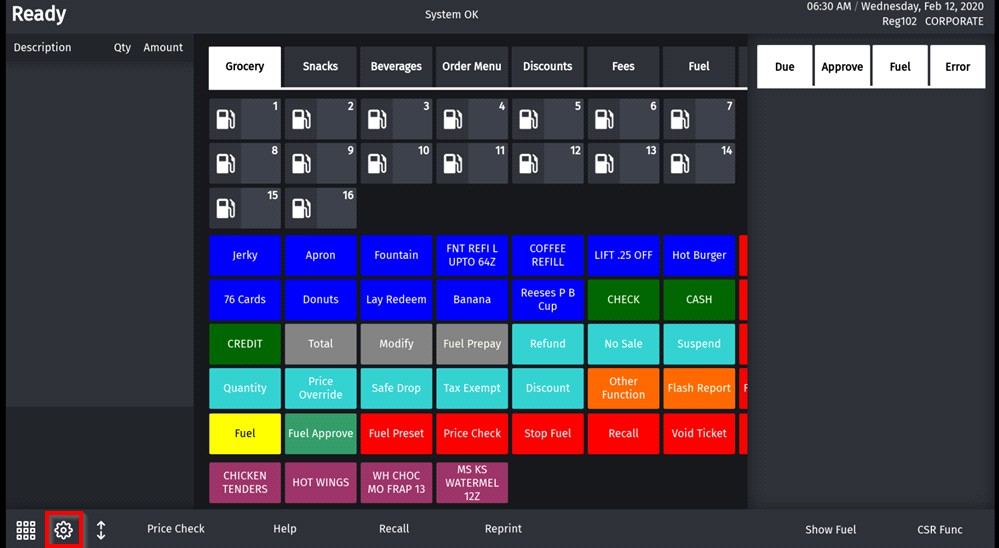
Open Cashier Preferences

  1. On the Express Panel, click settings button for the Cashier Preferences screen.

2

Select preferences

  1. On the Cashier Preference screen, select if:

    • Receipt Panel should appear on the left or right side of the screen,

    • Utility Panel should be on or off,

    • The numeric keypad is movable or built-in. This feature helps to lock numeric keypad on receipt widget or keep it movable for easy access.
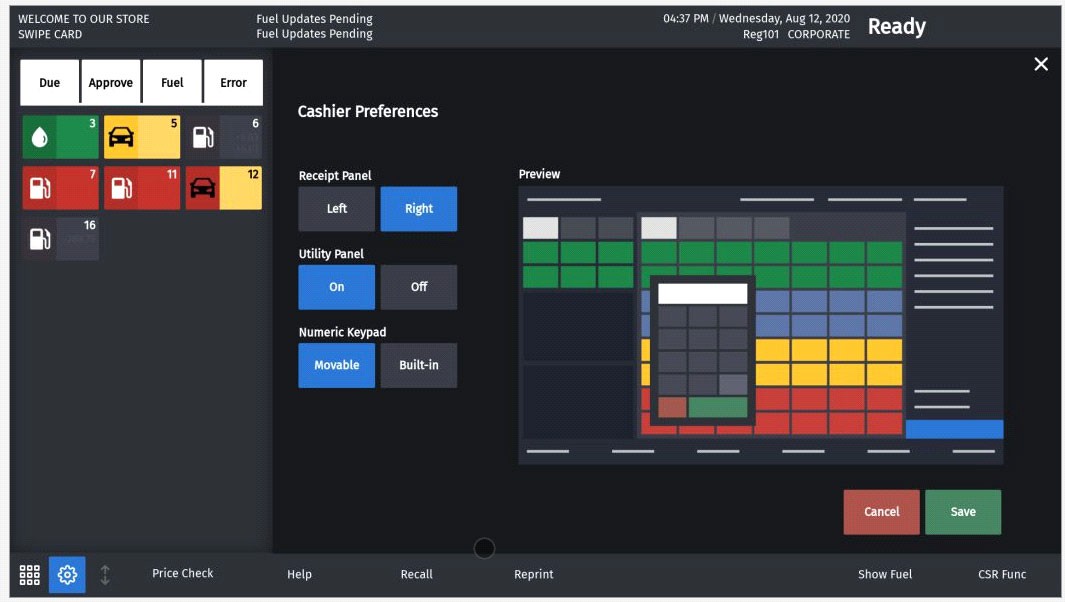
The Utility Panel ON/OFF toggle appears only for the C18 POS.