

Transaction Viewer
To view the total signature count for further analysis go to the Transaction Viewer and check the image files stored in the Transaction Set Logs.
Multiple transactions may be selected for viewing. If necessary, the signature data may be printed and saved from the Transaction Viewer.
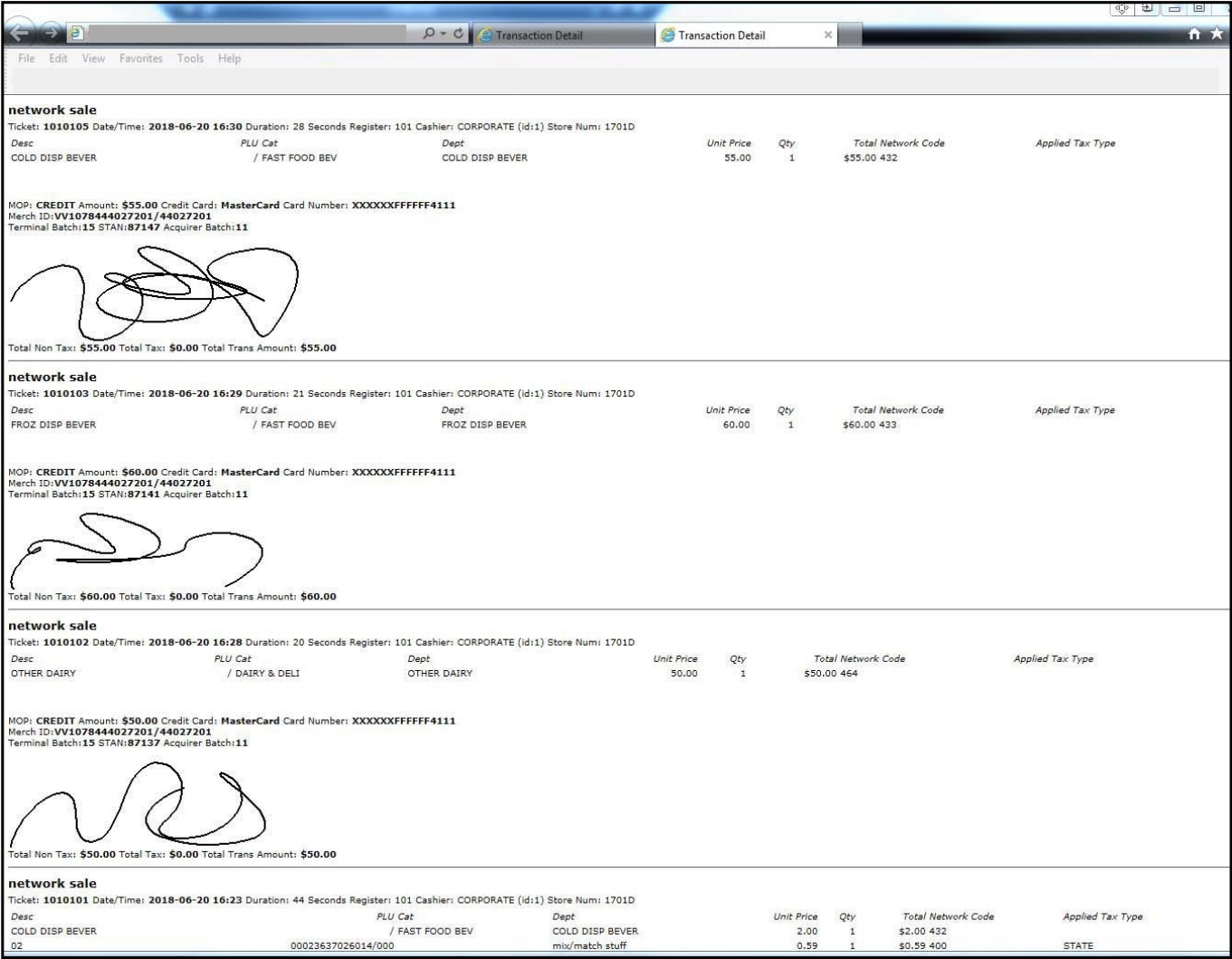
If signature data needs to be viewed or printed outside of the Transaction Viewer, the TIFF data must be converted to a GIF format so that the signature is viewable. To convert the data, a third party program of the user's choice must be used.
If any T-Logs require archiving, select the transactions, click on Tools from the menu bar and select Archive All Transactions.
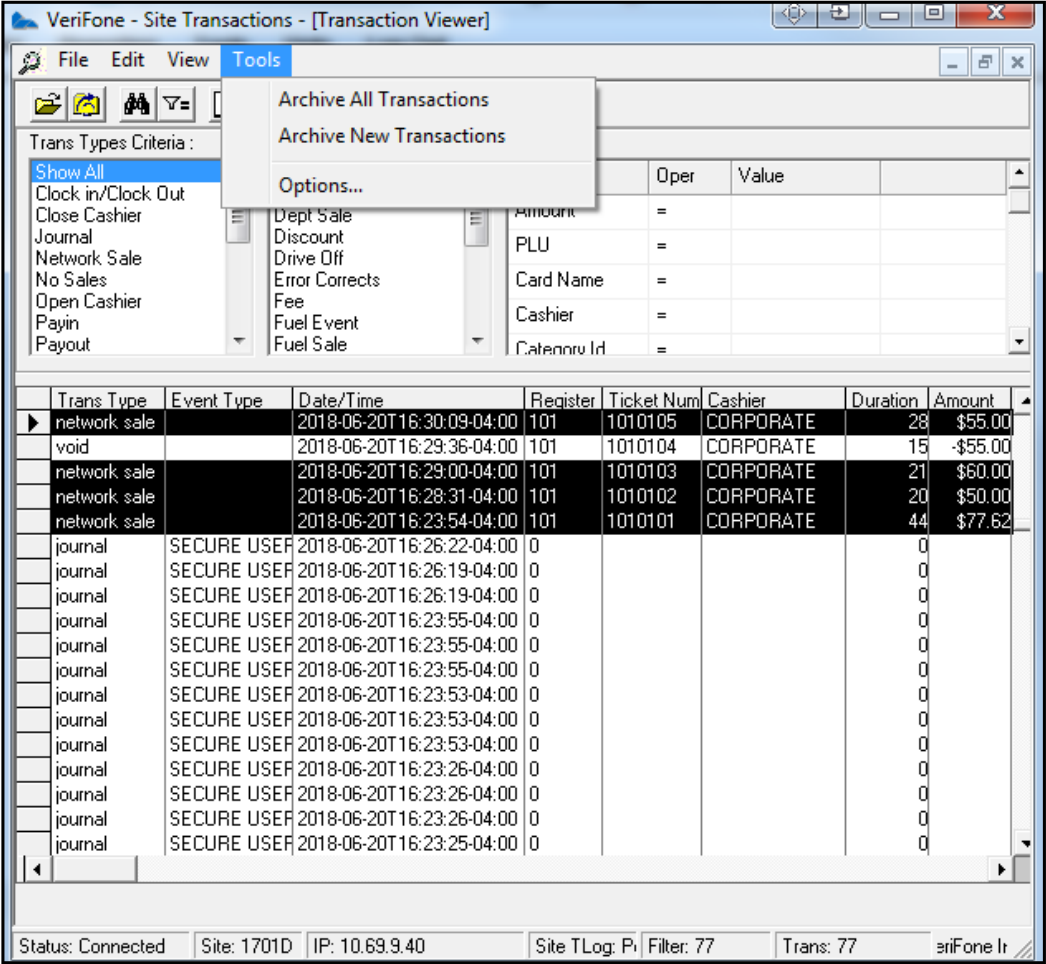
A pop up window will appear to select the location the T-Logs will be saved to.
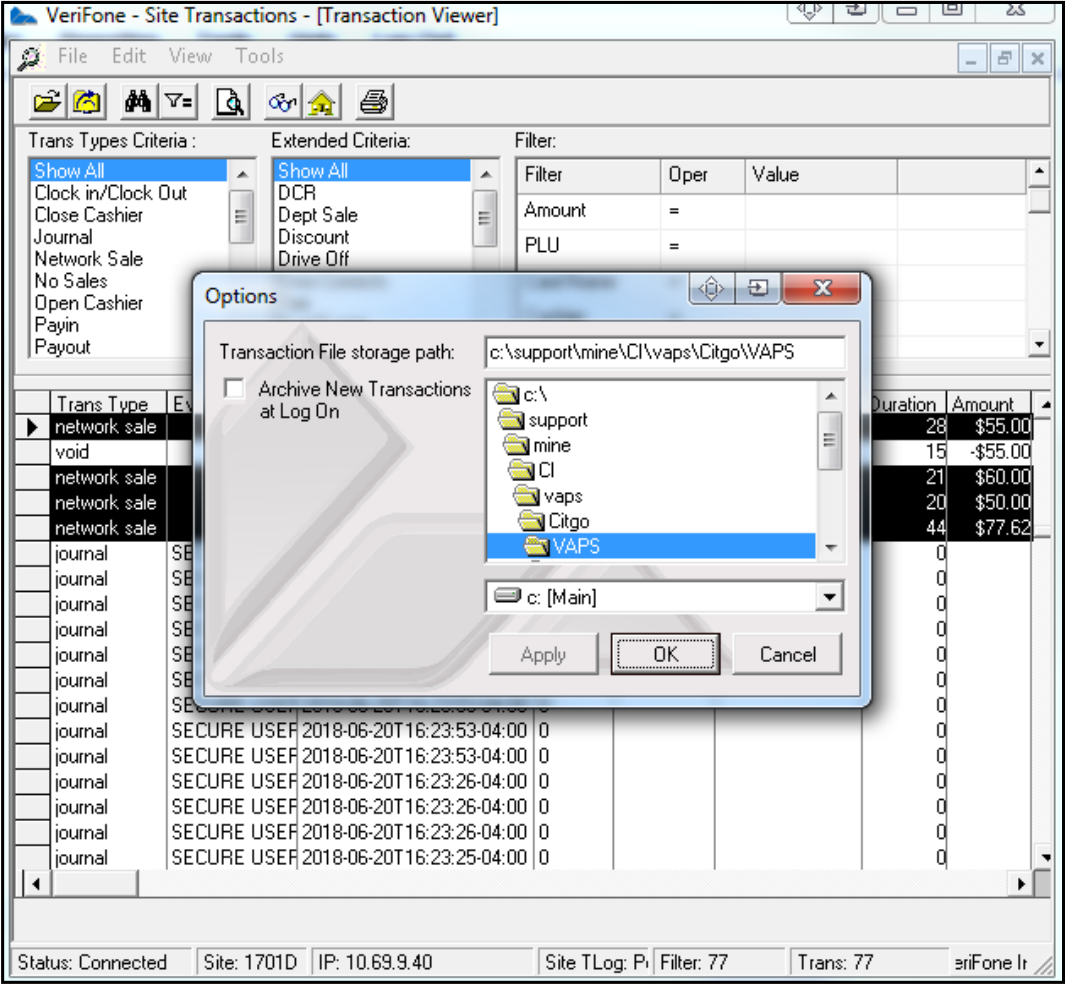
After the location has been selected, click [OK].